Download العربية
More uptime. Fewer interruptions.

Don’t let updates stop your business. Get your tools back in minutes.

Restore interrupted WaSender and WaCRM features with reliable compatibility updates from WaFIX HUB. Install the fix and keep campaigns moving on official versions—without modified builds.

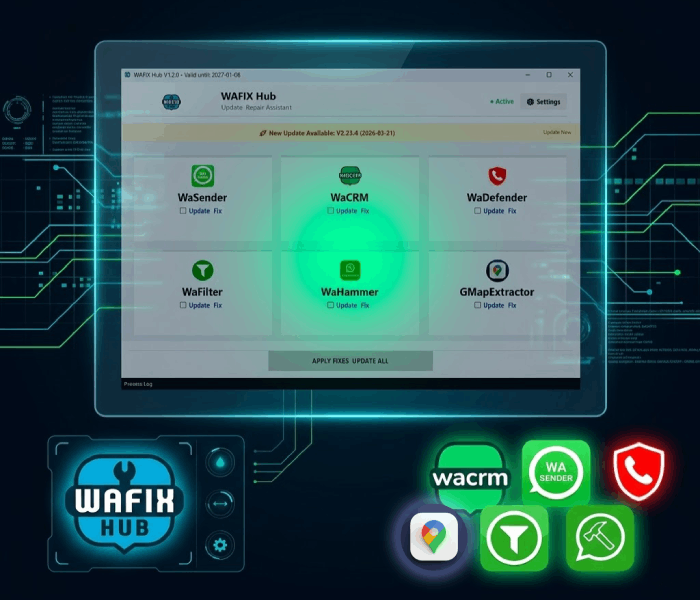
WaFIX HUB desktop interface for updating and fixing WaSender and WaCRM

Why did your apps stop working?

The hard reality of the market ⚠️

Many marketers suddenly found that the tools they rely on had stopped working completely—for example, media failed to send, messages stopped sending, or correct phone numbers could no longer be extracted from chats. The reason is simple, but disruptive:

The original developers stopped supporting these applications and discontinued updates!

As platforms and browsers kept changing, the applications could no longer stay compatible. Some users then turned to unofficial or modified copies that may introduce bugs, instability, or security risks.

This is where WaFIX comes in...

We provide an independent solution that does not replace your software with a random modified build. You keep using the official version while our external system delivers compatibility updates and software fixes so you can keep working with minimum interruption.
WaSender and WaCRM compatibility problems

Applications we bring back to full operation

You own the software; we help keep it working. WaFIX HUB provides ongoing compatibility updates and fixes for the applications below. Hover over an app to preview its interface, or tap it on mobile.

WaSender WaSender
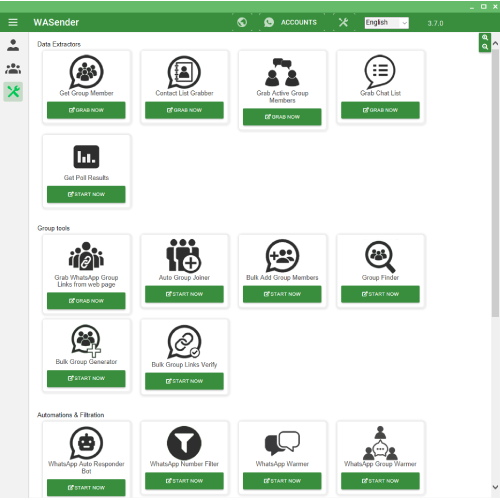
WaSender interface
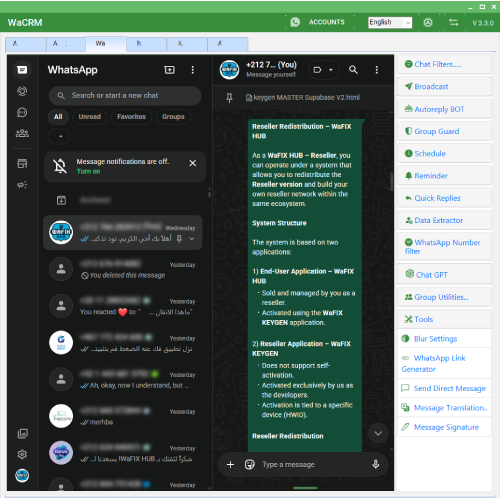
WaCRM WaCRM
WaCRM interface
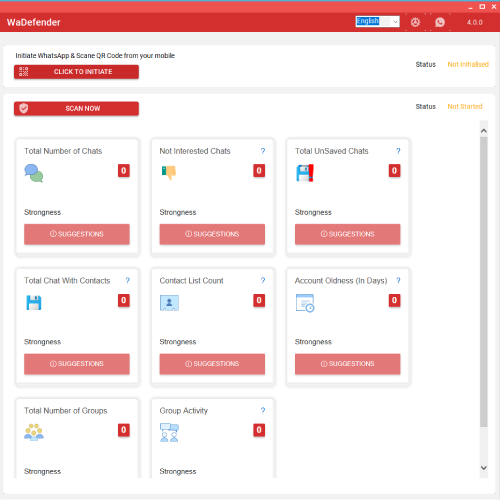
WaDefender WaDefender
WaDefender interface
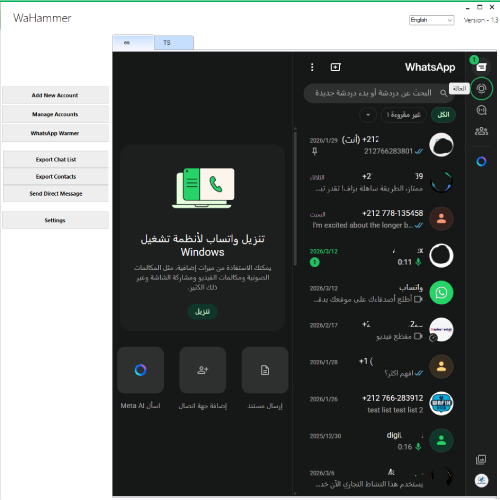
WaHammer WaHammer
WaHammer interface
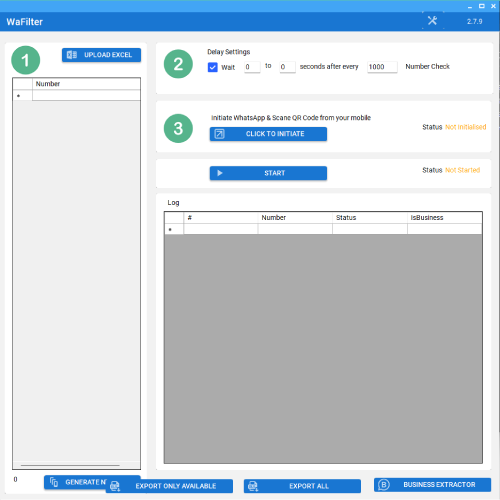
WaFilter WaFilter
WaFilter interface
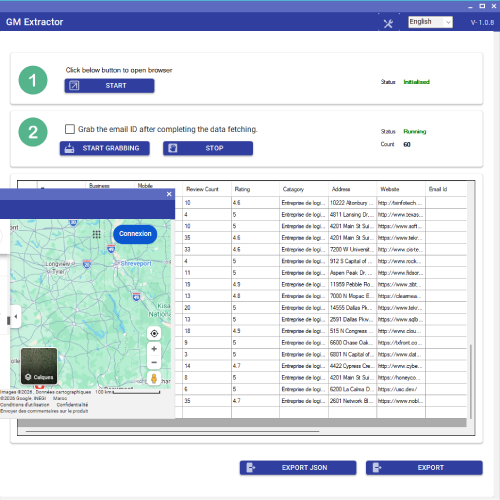
Google Map Extractor G-Map Extractor
G-Map Extractor interface

What do you gain by choosing WaFIX HUB?

🛡️ Keep the official software

You do not have to rely on random modified or suspicious copies. You continue using the official application while WaFIX HUB provides a dedicated update path.

⏱️ Reduce unexpected downtime

Auto Reply stopped working? Sending freezes? WaFIX HUB follows platform changes and delivers compatibility fixes to keep supported workflows stable.

💰 Protect your software investment

Instead of replacing your software every time a platform change breaks a feature, use WaFIX HUB updates to keep your existing supported applications operational.

Compatibility issues handled by WaFIX HUB

If WaSender or WaCRM stops working, or one of their features breaks after changes to WhatsApp Web, the browser, or another platform component, WaFIX HUB provides compatibility updates and fixes for supported official versions.

WaFIX HUB is not a tutorial and does not provide manual repair instructions. It is a desktop application that customers obtain in order to apply WaFIX updates and fixes to supported official applications.

WaSender is not sending messages

Compatibility updates for sending failures that may appear after platform changes.
WaSender not sending messages

WaSender or WaCRM is not sending media

Fixes for supported features when images, video, or audio fail to send.
WaSender media sending failed

WaCRM Auto Reply is not working

Compatibility fixes for Auto Reply, welcome messages, and other supported automated functions.
WaCRM Auto Reply not working

WhatsApp login or connection problem

Compatibility updates for cases where WhatsApp authentication, session initialization, or connectivity is affected by technical changes.
WaSender WhatsApp connection problem

Group member number extraction is not working

Fixes for group member extraction, real phone-number resolution, and identifier changes.
WaSender group contacts extraction not working

WhatsApp LID and identifier issues

Compatibility updates for changes involving LID, chat identifiers, and message identifiers.
WaSender LID compatibility problem

Number Warmer is not sending messages

Fixes for workflows that stop exchanging messages or operate only partially.
WaSender Number Warmer not working

The app stopped working after a platform update

WaFIX HUB is designed to deliver ongoing compatibility updates when external platform changes cause supported application features to stop working.
Fix WaSender after WhatsApp update

Note: WaFIX HUB does not replace the official application with an unknown modified copy. It operates as an independent system that supplies compatibility updates and fixes for supported applications.

Real work, not empty promises. See our update history

This changelog documents our continued work since the supported applications began experiencing compatibility issues. We continue releasing fixes and updates when new problems appear.

V4.4.3 — 30.07.2026
  • WaSender 3.7.0 & WaCRM 3.3.0 (Official Versions): Resolved a critical issue that prevented users from logging in to WhatsApp correctly in certain cases.
  • Restored stable WhatsApp authentication and session initialization across both applications.
  • Fixed an issue affecting the Auto Reply module, restoring the correct detection and processing of incoming messages.
  • Improved overall compatibility and stability to ensure reliable login and automated reply functionality.
  • Note: This update is intended for the official versions of WaSender 3.7.0 and WaCRM 3.3.0. Users running unofficial or modified versions may experience compatibility issues.
V4.4.2 — 25.07.2026
  • WaCRM 3.3.0 (Official Version): Resolved an issue that prevented the Message Translation feature from working correctly in certain cases following recent platform changes.
  • Restored full translation support for incoming messages, outgoing messages, and messages being composed before sending.
  • Fixed the translation button display inside conversations to ensure it appears correctly and remains fully functional.
  • Note: This update is intended for the official version of WaCRM 3.3.0. Users running unofficial or modified versions may experience compatibility issues.
V4.4.0 — 25.07.2026
  • WaSender 3.7.0 & WaCRM 3.3.0 (Official Versions): Emergency update to resolve a critical messaging issue caused by recent browser changes, which prevented messages from being sent correctly in certain cases.
  • Restored full message sending functionality across all supported sending modules.
  • Improved compatibility with the latest browser updates to ensure stable and reliable message delivery.
  • Applied additional stability improvements to reduce the risk of similar issues in future browser releases.
  • Note: This update is intended for the official versions of WaSender 3.7.0 and WaCRM 3.3.0. Users running unofficial or modified versions may experience compatibility issues.
V4.3.2 — 01.06.2026
  • WaCRM 3.3.0 (Official Version) - Message Translation Fix & New Outgoing Translation Feature:
  • Translation Icon Fix: Resolved an issue where the translation icon was not appearing correctly inside the chat interface after recent WhatsApp Web updates.
  • Incoming Message Translation Fix: Restored the ability to translate received chat messages using the translation button.
  • New Outgoing Translation Feature: Added a new translation icon beside the message input field, allowing users to translate their typed message before sending.
  • Direct Send & Copy Options: Translated messages can now be sent directly to the current chat or copied manually when needed.
  • Note: This update is intended for official versions only. Unofficial versions may experience compatibility issues.
V4.3.0 — 25.05.2026
  • WaCRM 3.3.0 (Official Version) - Privacy & Blur Settings Enhancements:
  • Privacy Restoration: Resolved an issue where some privacy blur options, including profile names, photos, and group member details, were not applying correctly due to recent platform interface updates.
  • Comprehensive Privacy: Enhanced the blur feature to accurately cover contact cards, voice-message avatars, and group notification logs for stronger privacy.
  • Interface Stability: Fixed unexpected text overlay behavior to ensure seamless compatibility across different display languages.
  • Note: This update is intended for official versions only. Unofficial versions may experience compatibility issues.
V4.1.1 — 13.05.2026
  • WaCRM 3.3.0 (Official Version) - Quick Replies Display Fix:
  • Interface Restoration: Resolved an issue where Quick Reply buttons were not appearing in the chat area due to recent platform changes.
  • Visual Alignment: Fixed the positioning of the Quick Replies bar to ensure it displays correctly at the bottom of the message box for a better workflow.
  • Stability Patch: Enhanced synchronization between the application and the chat interface to ensure persistent button visibility.
  • Note: This update is intended for official versions only. Unofficial versions may experience compatibility issues.
V4.1.0 — 05.05.2026
  • WaSender 3.7.0 (Official Version) - Poll Messaging & Core Updates:
  • Poll Issues Resolved: Fixed a critical bug where Poll messages failed to send if they contained special characters or specific formatting. Polls are now sent reliably in all scenarios.
  • Delivery Optimization: Improved the stability of the Poll module to ensure smooth delivery across different chat types.
  • General Fixes: Applied minor enhancements to the messaging engine for a smoother user experience.
  • Note: This update is intended for official versions only.
V3.23.5 — 30.03.2026
  • WaCRM 3.3.0 (Official Version) - Quick Replies Module Updates:
  • Added a new folder system for grouping, naming, and coloring Quick Reply buttons, with restore support.
  • Added multi-selection support: hold Ctrl to select multiple buttons for moving or batch reordering.
  • Improved the interface with rounded buttons and a streamlined settings menu that appears on hover.
  • Expanded the description character limit from 15 to 50 characters.
  • Added a Help Center icon (?) and version information inside Quick Reply settings.
V3.23.4 — 21.03.2026
  • WaSender 3.7.0 (Official Version): Fixed an Auto Reply issue where Poll messages were not being sent. Polls are now delivered correctly and reliably during automated replies.
V3.23.3 — 21.03.2026
  • WaSender 3.7.0 (Official Version): Fixed a critical issue in Number Warmer where the system switched between accounts without sending messages. Message exchange between accounts now works correctly and reliably.
  • WaCRM 3.3.0 (Official Version): Fixed an Auto Reply formatting issue that added extra blank space below each message. Messages are now sent cleanly without unwanted spacing.
V3.22.3 — 03.03.2026
  • Improved phone-number extraction from groups, chats, and Labels, including cases where incorrect or unusual IDs were returned. The system now resolves real phone numbers more accurately.
V3.22.2 — 28.02.2026
  • WaCRM 3.3.0 (Official Version): Fixed a critical Auto Reply issue that prevented the welcome message from being sent correctly.
  • Fixed a bug that caused the welcome message to be sent repeatedly or alongside keyword-based replies, resulting in a cleaner and more accurate automated-response flow.
  • Improved chat-history detection to distinguish new conversations from existing ones and prevent unnecessary automatic greetings.
  • Fixed group invitation-link validation for full URLs and links containing additional parameters.
V3.22.0 — 27.02.2026
  • This release includes important bug fixes for issues introduced by recent platform changes.
V3.20.26 — 27.02.2026
  • Fixed an issue affecting message retrieval (getMessages) after internal structural changes.
  • Resolved an invalid WID value error when handling certain objects or opening chats.
  • Fixed a sending issue involving destinations that use LID-based identifiers, improving overall messaging stability.
V3.20.25 — 26.02.2026
  • WaSender 3.7.0 & WaCRM 3.3.0 (Official Versions): Fixed an issue affecting some users where group-member extraction failed or returned incomplete results in certain cases.
  • Fixed a messaging issue where some recipients were skipped during standard sends, Quick Replies, or Auto Reply messages, helping ensure all selected contacts receive the intended message.
  • Improved number extraction from groups, chats, and Labels, including cases where incorrect identifiers were returned. The system now retrieves real phone numbers more accurately.
  • Improved overall sending stability and phone-number targeting for each message, increasing reliability during campaigns and bulk sending.
V3.20.24 — 20.02.2026
  • WaSender & WaCRM: Fixed media attachment sending failures involving images, video, and audio in standard messages, Quick Replies, and Auto Reply mode.
V3.20.23 — 15.02.2026
  • WaSender 3.7.0 (Official Version): Fixed and restored social contact-data extraction from search engines and social platforms, addressing previous failures and restoring complete retrieval.
V3.20.22 — 14.02.2026
  • WaSender 3.7.0 (Official Version): Fixed ChromeDriver automatic updating to ensure the correct official version is downloaded properly.
  • Fixed Google Maps data extraction when using the classic interface (legacy browser mode), including rating and duplicate-data issues.
  • Users running unofficial or modified versions may experience compatibility issues; this update is intended only for the latest official 3.7.0 version.
V3.20.21 — 14.02.2026
  • WaSender: Fixed inconsistent or partial group-member number extraction for some users, including an issue affecting extraction of active group members.
V3.20.2 — 26.01.2026
  • WaSender: Fixed an issue affecting data extraction from Google Maps.
  • GMExtractor: Added update support for future releases and fixed Google Maps data-extraction issues.
  • Fixed an issue where messages sent by Auto Reply were not being marked as read in WaCRM and WaSender.
V3.19.72 — 16.01.2026
  • Fixed an issue where List Messages were not sent correctly in Auto Reply mode.
V3.19.71 — 15.01.2026
  • Fixed an issue with messages sent to new contacts where the message arrived but the chat did not appear or open correctly.
V3.19.46 — 02.01.2026
  • Fixed an issue where WaDefender could freeze during scanning at the contact-validation stage.
V3.19.45 — 21.12.2025
  • Applied comprehensive fixes to welcome messages and Quick Replies to improve media and message delivery to new numbers and advertising leads.
  • Fixed messaging issues when contacting users selected through Labels.
  • Introduced a cleaner interface with smart collapsing for Quick Reply buttons to save screen space, plus an option to pin frequently used replies.

Real results. See what customers say

Don’t take our word for it. Browse real customer screenshots after using WaFIX and restoring their supported applications to working condition.

Drag or scroll to browse results
WaFIX HUB customer review

🔥 Our strongest offer: Complete Bundle

WaFIX Keygen WaFIX HUB WaSender WaCRM WaDefender WaHammer WaFilter GMap Extractor
30 dollars

Don’t own the applications yet and want to start with a complete toolkit? Get the full marketing bundle together with WaFIX update access.

Get the bundle for only $30!
WaFIX Keygen WaFIX HUB WaSender WaCRM WaDefender WaHammer WaFilter GMap Extractor
30 dollars
Ready for Instant Download & Setup

Download WaFIX HUB Now

Restore full stability to your marketing tools (WaSender & WaCRM) in minutes. Fast, official, and 100% clean installation.

WaFIX HUB Software Box
WaFIX HUB Setup V2.0 (Stable)
Windows 10 / 11 32 / 64-bit 100% Clean & Safe

Choose the plan that fits your needs

Clear pricing with no surprises. Choose the level of update access that fits your workflow.

One-Time Fix

$1.5
  • One-time repair for the current release
  • Does not include future updates
  • Ideal for trying the WaFIX update system
Order Now

Standard User

$5 / year
  • WaFIX HUB desktop application
  • Updates and fixes for one full year
  • A new update key for every supported release
  • Cannot generate keys for other users
Subscribe Now

Reseller Plan

$20 / year
  • HUB application + WaFIX KEYGEN
  • Generate unlimited keys for your customers
  • Updates for you and your customers throughout the year
  • Designed for service providers and resellers
Become a Reseller